What LeadPulse is
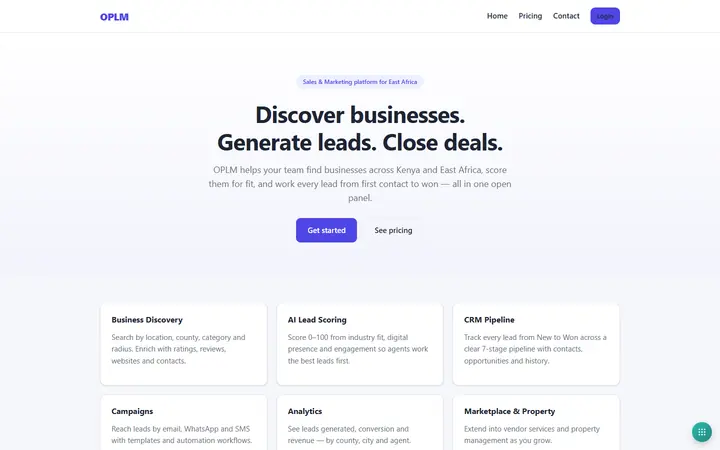
LeadPulse is TwinFusion's field-sales CRM for organisations that sell in the field. Agents record prospects on their phone, with a GPS fix on every entry, and keep working when there is no signal, while the office runs the pipeline. One hosted installation holds many separate client workspaces.
Managers build capture forms without code, leads are assigned automatically by territory or rota, and follow-ups are queued with reminders. Maps show heatmaps, territories and each agent's daily trail, WhatsApp and SMS messages sit on the lead's timeline, and 16 built-in reports plus a report builder export to Excel, PDF and map formats.
On the phone, too
LeadPulse has a native Android app for field agents, alongside a web app that also works offline. Agents capture leads, activities, follow-ups and photos with a GPS location on the phone, keep working without signal, and everything syncs with the office when a connection returns.
How LeadPulse works
Overview
LeadPulse is a multi-tenant CRM for organisations that sell in the field. Agents capture prospects on a phone, with a GPS location on every record, and keep working offline; managers assign the work, chase follow-ups and read reports. Each client workspace has its own users, forms, pipeline stages and limits.
Who uses it
- Platform super admin — sets up client workspaces and manages quotas, features and platform health.
- Workspace admin — runs one organisation's workspace: users, forms, pipeline and settings.
- Sales manager — sees the whole workspace and reassigns leads.
- Sales executive — sees their own and their team's leads.
- Field agent — captures and works only the leads assigned to or created by them.
- Auditor — read-only access.
Main modules
- Form builder — drag-and-drop capture forms with version history, shareable public links and website embeds.
- Leads — list, pipeline board, map and timeline views, with merging, import and bulk actions.
- Maps — clustered markers, heatmaps, territory boundaries and a daily trail for each agent.
- Lead discovery — finds businesses from OpenStreetMap inside watched areas and scores them.
- Follow-ups — Today, Overdue and Upcoming queues with reminders.
- Messaging and chat — WhatsApp and SMS threaded on each lead's timeline, plus in-app chat.
- Reports — 16 built-in reports and a custom report builder.
- Settings — pipeline stages, assignment rules, territories, teams, integrations and data retention.
How it works
- Capture — a lead comes in from an agent's form in the field, a public or embedded web form, an import, the API or an inbound WhatsApp message.
- Assign — the lead is assigned automatically by round robin, by workload or by the territory it falls in.
- Contact — the first contact is logged and the response time recorded.
- Progress — the lead moves through the workspace's own pipeline stages to Won or Lost, and every change is kept in a permanent history.
- Follow up — follow-ups raise reminders in the app, by push notification, email and SMS, appear in the agent's calendar and log an activity when completed.
- Report — managers read the dashboards and export reports to CSV, Excel, PDF or map formats; large exports run in the background.
Integrations
- WhatsApp Business — inbound and outbound messages on the lead timeline.
- SMS — Africa's Talking, Twilio or another SMS gateway.
- Push notifications — reminders on the agent's phone.
- Google and Microsoft calendars — follow-ups mirrored to the agent's calendar.
- Cloud file storage — photos and files kept in cloud storage.
- OpenStreetMap — business discovery and address lookup.
Platforms and access
- A web app that installs on a phone and keeps working offline, syncing when a connection returns.
- A native Android app that syncs with the same workspace.
- Role-based access, with each workspace's data kept separate; super admins sign in with two-factor authentication.